
We noticed that sometimes in MinIO, even after clicking “delete folder” in the GUI, the folder still shows up and worse, it can’t be deleted anymore. Let’s dig into this challenge.1
Current Situation
We use Spark to write Parquet files into MinIO (RELEASE.2025-03-12T17-29-24Z). At some point, Delta Lake started throwing the following error:
Caused by: org.apache.spark.sql.delta.DeltaAnalysisException: [DELTA_CREATE_TABLE_WITH_NON_EMPTY_LOCATION]
Cannot create table ('`landingzone`.`testi_table`'). The associated location ('s3a://landing-zone/testi/table') is not empty and also not a Delta table.
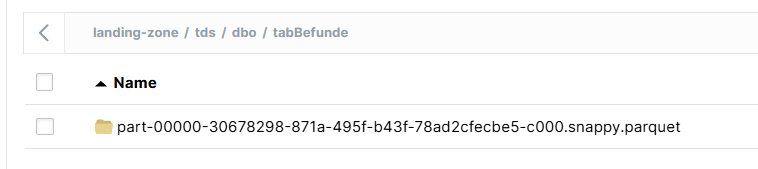
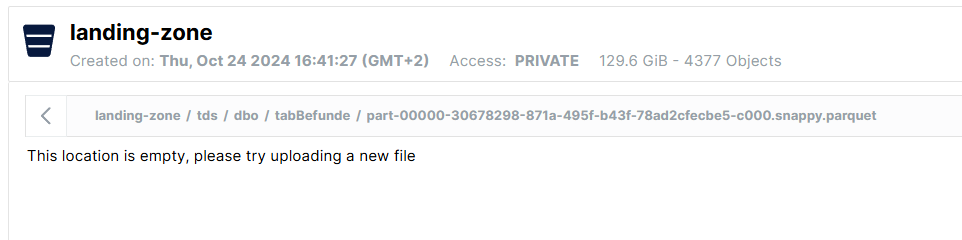
However, when we checked the location in the MinIO GUI, we couldn’t delete the folder. Inside it, there were “folders” with a .parquet suffix but they appeared to be empty. Because these couldn’t be removed, Delta still considered the location non-empty and refused to create the table.
Analysis
MinIO stores objects differently at the filesystem level than what you see in the GUI.
A healthy object (e.g., a Parquet file) looks like this:
part-00000-...snappy.parquet/
├── xl.meta
└── <uuid>/
    ├── part.1
    ├── part.2
    └── part.3
Notice there is an xl.meta file. While you can partially read it, it also contains non-readable characters and symbols, indicating that it is a binary file storing metadata that tells MinIO how to interpret the directory as a single object.
But in our unhealthy case, the structure looked like this:
part-00000-...snappy.parquet/
└── <uuid>/
    └── part.1
Notice the missing xl.meta file.
Our Interpretation / Hypothesis:
Without xl.meta, MinIO cannot interpret this directory as an object anymore.
- The GUI shows it as a folder (because that’s what it physically is)
- But it appears empty (because MinIO doesn’t know how to read the raw parts)
mccommands don’t work properly- Spark/Delta still sees “something” in the location → causing errors
This likely happens due to an interrupted write or delete operation, leaving behind orphaned data parts without metadata.
Resolution
The only reliable fix was to remove the broken objects directly at the filesystem level. MinIO allowed this without requiring a container restart. After that, the folder was truly empty, and Delta could create the table again.
We also tried mulitple MinIO client approaches using different flags (i.e. –version, –dangerous, –force …) but non succeeded.
Other (related) Issues
https://github.com/minio/minio/discussions/15257#discussioncomment-3109625
https://github.com/minio/minio/issues/16836
https://github.com/minio/minio/discussions/19516
- This blog post was drafted manually and then summarized, refined, and written with the help of ChatGPT 5.3. ↩︎